STORM TV Subscription


Price range: $1,00 through $38,00
STORM TV subscription — choose your plan and watch through the right player for your device.
STORM MAX and STORM TV links, download codes and activation steps are in the description below.
- ✅ Instant activation: receive your details on WhatsApp right after payment.
STORM TV subscription: choose your plan and start watching
STORM TV subscription — choose the period that suits you. Here you will find the prices, the players for each device, the Downloader codes and the set-up steps, all in one place.
Whether you are looking for a new STORM TV subscription or want to know how to run it, start by picking your device and then choose a plan. The new STORM MAX app is one of the Android players, and the STORM TV app is also available, while Apple devices and computers use compatible players with the subscription details you receive.
Jump straight to what you need:
Prices and plans | Suitable devices | Download the apps | How to activate | FAQ
STORM TV prices and available plans
Choose a short subscription for your current use, or a longer period with extra months included. The prices below are the full plan price in US dollars, not a recurring monthly fee. Free months are shown in the option name in the period list at the top of the page.
| Plan | Total period | Price |
|---|---|---|
| 24-hour trial | 24 hours | $1 |
| 1 month | 1 month | $3 |
| 3 months | 3 months | $6 |
| 6 months | 6 months | $12 |
| 12 months | 12 months | $20 |
For long-term use: the 24-month plan costs $40. For a medium period, you get 12 months for $20. Before placing your order, check the plan name and price shown after choosing the period.
Choose the subscription period at the top of the page
Discover the STORM MAX interface
The app screenshots show sections for browsing movies and channels, with tools for search and quick access to favourites. Splitting content into sections helps you find what you want instead of scrolling through one long list. The images show the player’s interface at the time they were taken; the available content may change as the service is updated.
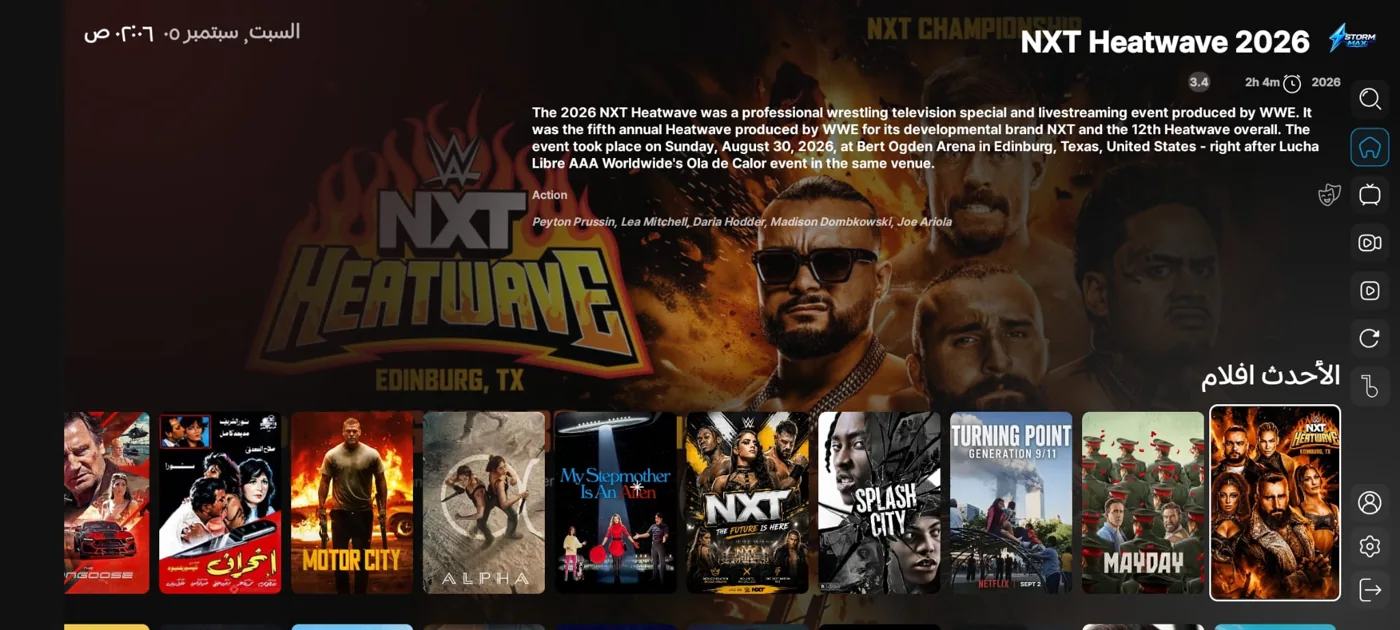
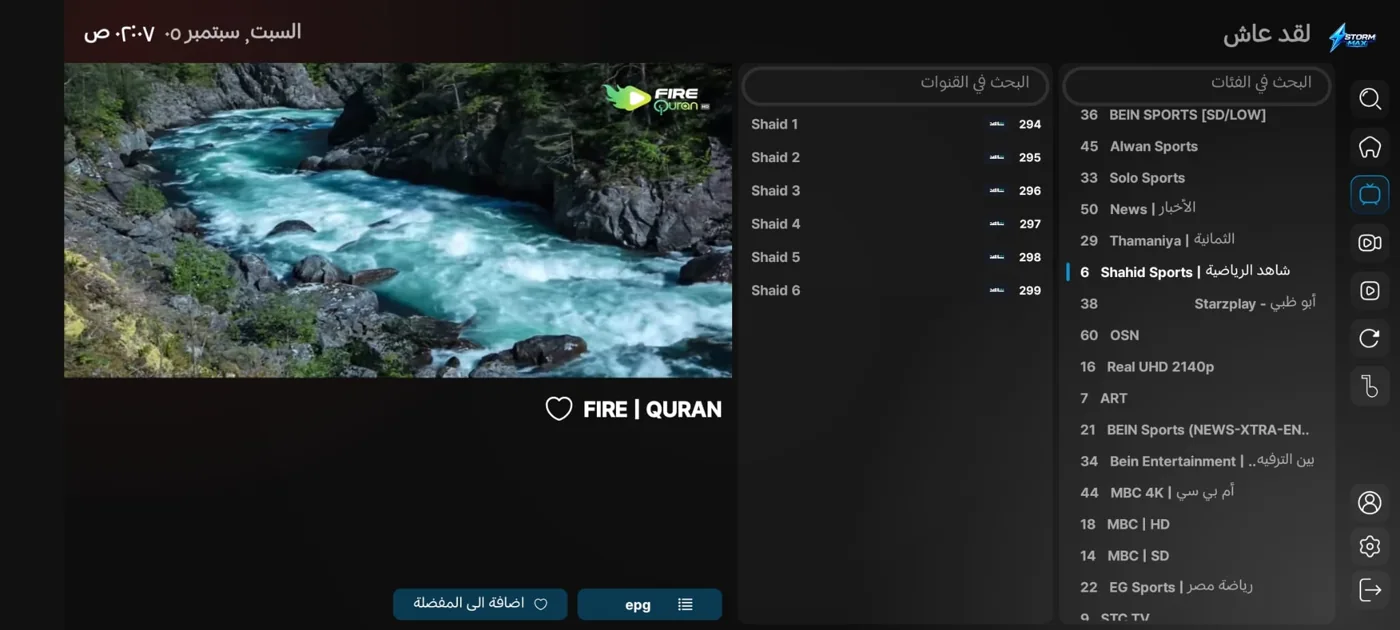
The player supports organising playlists and favourites, and plays different resolutions depending on the source and the device. Actual viewing quality also depends on your internet connection, so choose the resolution that suits your screen and connection speed — player support for a given resolution does not guarantee it on every channel or title.
Which app suits your device?
- Android phone or tablet: use the new app from Google Play or the APK file listed below.
- Android TV and TV Box: choose an app compatible with your device and use the matching download link or Downloader code.
- iPhone, iPad and Apple TV: the VAR Player link is below; installation depends on your device’s compatibility and the app’s availability in your country’s store.
- Windows: IPTV Smarters Pro link for PCs and laptops.
- Mac: download link for the Mac version in the apps section.
If your TV runs another system such as Tizen or webOS, send us its model before buying so we can confirm how it can be played. Support for several devices means there are options for different devices — it does not mean simultaneous viewing on several devices with the same account.
Download STORM TV and STORM MAX for Android
The new STORM MAX app
Choose the download method that suits your device. The Google Play link lets you check the app page and its compatibility, while the APK file is useful on devices that need a direct installation.
Download STORM MAX from Google Play
Download STORM MAX as an APK
Downloader code for STORM MAX: 3633088
The STORM TV app
If you use the STORM TV app, here is its installation file and download code. Note that the code differs from the STORM MAX code, so you install the right app.
Downloader code for STORM TV: 3436675
How to use Downloader: open Downloader on your device, enter the code of the app you chose, then continue downloading the installation file. If the device asks for permission to install from this source, grant it during installation, then open the player once it has finished.
App for iPhone, iPad and Apple TV
Go to the VAR Player page — also known as 000 Player in the service instructions — and check that it is compatible with your device before installing.
Download VAR Player from the App Store
Code for setting up VAR Player: 4004. Enter it in its field according to the service set-up instructions; this code does not replace your subscription details.
Download IPTV Smarters Pro for PC and Mac
Choose the file that matches your operating system, then use your subscription details with the login method the player supports. Windows installation files differ from the Mac version, and an APK file cannot be used on a computer as a Windows app.
App availability may vary by country and system version. If a link does not open or the app does not appear for your device, contact us to find a compatible option before completing your subscription.
How to activate the subscription
- Choose the period: pick the plan from the product list and check the extra months and the price.
- Complete your order: add the subscription to the cart and follow the payment steps available in the store.
- Install the right app: use the download section above for your device’s system.
- Enter your subscription details: follow the instructions sent with your order. If the details include a username, password and server address, enter each value in its matching field.
- Load the list: after logging in, wait for the sections to finish loading, then open what you want to watch.
Downloading the app alone does not activate the subscription. Downloader codes only shorten the way to the installation files. Keep your subscription details private, and when asking for help send your order number, device type and the error message rather than posting your password.
Searching for content and requesting additions
To search for a title before choosing your subscription, use the mystormtv.com search site. If you can’t find what you want, there is a content request portal that requires logging in.
Sending a request does not guarantee it will be accepted or when it will be available. If your decision depends on a specific channel or series, check its current availability before paying, as content lists change over time.
Frequently asked questions
How much is a STORM TV subscription?
A 24-hour trial costs $1, then subscriptions start at $3 for one month. The 3-month plan costs $6, 6 months $12 and 12 months $20.
Is there a STORM TV trial?
Yes, a paid 24-hour trial is available for $1. Choose “24 hours” in the period options to try the service on your device before buying a longer period.
What is the difference between STORM TV and STORM MAX?
STORM TV is the name of the subscription on this page, and there is also an app with that name. STORM MAX is the new Android player among the service links; each app has its own link and Downloader code.
Is the Downloader code the subscription activation code?
No. Code 3633088 downloads the new player and code 3436675 downloads the STORM TV app. Playback needs separate subscription details.
Does the subscription work on every TV?
Compatibility depends on the TV’s system and the player available for it. Check your device model before buying, especially if it does not run Android.
Can the account be used on more than one device at the same time?
Don’t assume that support for several devices means several simultaneous connections. Contact us to find out how many connections your subscription allows before using it on several devices.
What should I do if the app doesn’t work or I can’t log in?
Check your internet connection, your details and your subscription’s expiry date. Make sure you are using the right app for your device, then send support the app name, device type and a description of the problem for more precise help.
Can I renew?
Contact the store with your previous order number to check whether your current account can be renewed before buying a new plan. Never share your login details in public comments.
Choose your plan — we’ll help you set it up
Choose the right subscription period at the top of the page, or contact us if you need to confirm your device is compatible. You can also browse the IPTV subscriptions available in the store to compare.
| Subscription period | 24-hour trial, 3 months, 6 months, 12 months, 15 months, 24 months, 1-month subscription |
|---|
Related products

Subscriptions


Subscriptions

Subscriptions
Original ZAIN TV Subscription | Complete Family & Entertainment Plan (Instant Activation)


Subscriptions
Original DTC SAT TV Subscription – Rock-Solid Stability and 4K Quality (Instant Activation)